Tutorial: a to-do app
7. Remembering the list
Save the tasks whenever they change and load them at start. Then look at the finished app and where to go from here.
Settings
Close the app and open it again: your tasks are gone and the three samples are back. The last step fixes that.
Somewhere to keep the data
Qt’s Settings type stores values in a small file and gives them back on the next start. Add its import as
the first line of the file:
import QtCoreNow replace the model and its sample tasks with an empty model and a Settings object:
ListModel {
    id: tasksModel
}

Settings {
    id: settings
    location: StandardPaths.writableLocation(StandardPaths.GenericConfigLocation) + "/tasks-tutorial.ini"

    property string tasks: "[]"
}locationsays which file to use:tasks-tutorial.iniin the user’s configuration folder, normally~/.config. A packaged app with a proper name does not need this line;Settingsthen picks a file named after the app.property string tasksis the one value we store. Any property declared insideSettingsis saved when it changes and restored at start."[]"is its value the very first time: an empty list.
Settings store simple values, not lists of objects, so we keep the whole task list as one piece of text in JSON format.
Load and save
function load(): void {
    for (const task of JSON.parse(settings.tasks)) {
        tasksModel.append({ title: task.title, done: task.done })
    }
}

function save(): void {
    const list = []
    for (let i = 0; i < tasksModel.count; i++) {
        list.push({ title: tasksModel.get(i).title, done: tasksModel.get(i).done })
    }
    settings.tasks = JSON.stringify(list)
}
load turns the stored text back into tasks and puts them in the model. save does the reverse.
When should we save? Whenever anything changes, and we already have a place that hears about every change: the
Connections from step 5. Add a save() call to both handlers, and load at start:
Connections {
    target: tasksModel
    function onCountChanged() {
        root.recount()
        root.save()
    }
    function onDataChanged() {
        root.recount()
        visibleTasks.invalidateFilter()
        root.save()
    }
}

Component.onCompleted: {
    load()
    recount()
}
There is no Save button and none is needed. An app that saves by itself cannot lose work.
The finished app
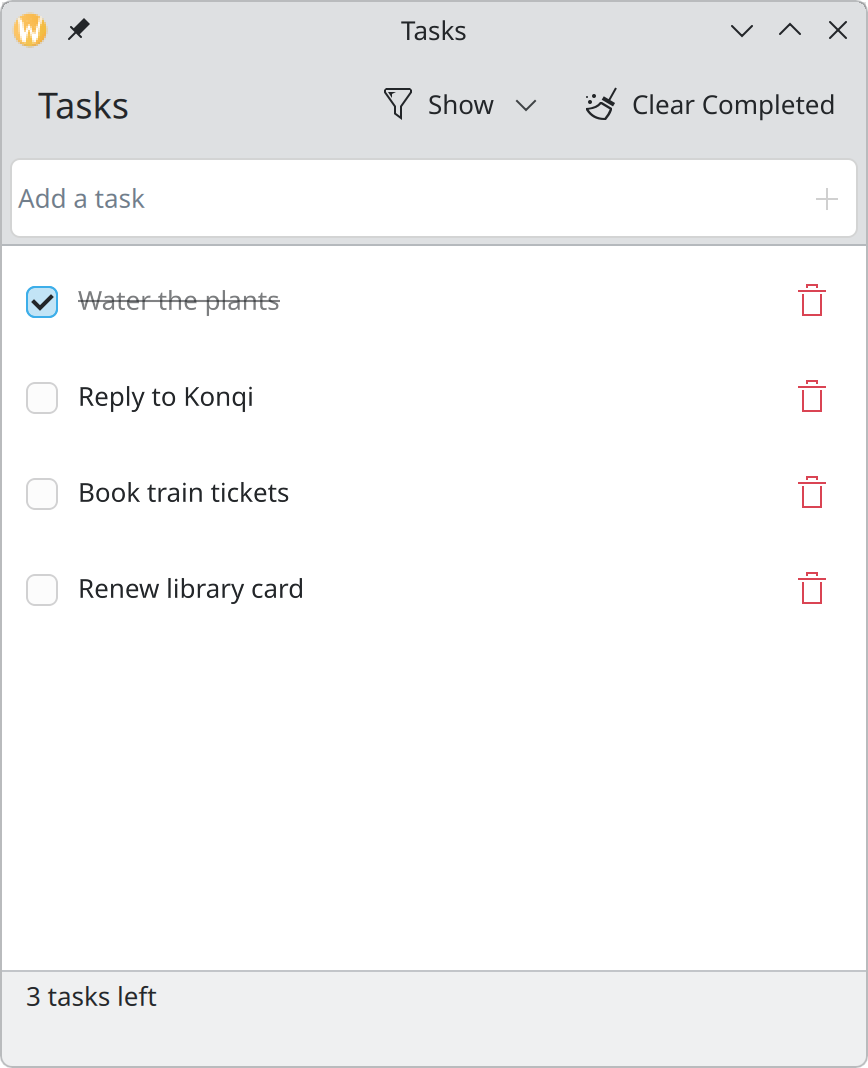
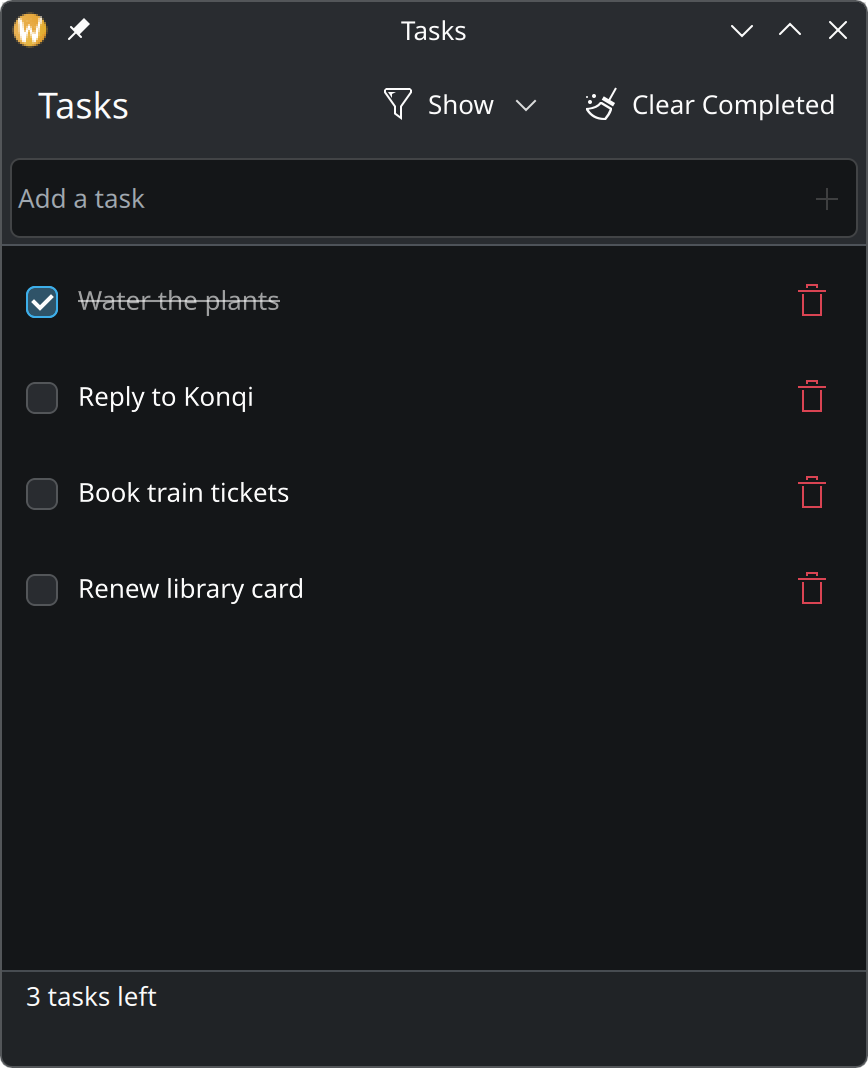
Show the complete main.qml for this step
import QtCore
import QtQuick
import QtQuick.Controls as QQC2
import QtQuick.Layouts
import org.kde.kirigami as Kirigami
import org.kde.kitemmodels as KItemModels

Kirigami.ApplicationWindow {
    id: root

    title: "Tasks"
    width: Kirigami.Units.gridUnit * 24
    height: Kirigami.Units.gridUnit * 28

    ListModel {
        id: tasksModel
    }

    // A small file in the user's configuration folder. The task list is
    // stored in it as one line of JSON text.
    Settings {
        id: settings
        location: StandardPaths.writableLocation(StandardPaths.GenericConfigLocation) + "/tasks-tutorial.ini"

        property string tasks: "[]"
    }

    function load(): void {
        for (const task of JSON.parse(settings.tasks)) {
            tasksModel.append({ title: task.title, done: task.done })
        }
    }

    function save(): void {
        const list = []
        for (let i = 0; i < tasksModel.count; i++) {
            list.push({ title: tasksModel.get(i).title, done: tasksModel.get(i).done })
        }
        settings.tasks = JSON.stringify(list)
    }

    // Which tasks to show: "all", "active" or "completed".
    property string filter: "all"
    onFilterChanged: visibleTasks.invalidateFilter()

    // Sits between the data and the list and lets only matching rows through.
    KItemModels.KSortFilterProxyModel {
        id: visibleTasks
        sourceModel: tasksModel

        filterRowCallback: (row, parent) => {
            const done = tasksModel.get(row).done
            return root.filter === "all"
                || (root.filter === "active" && !done)
                || (root.filter === "completed" && done)
        }
    }

    // The list shows filtered rows; this finds a row's place in the real data.
    function sourceRow(row: int): int {
        return visibleTasks.mapToSource(visibleTasks.index(row, 0)).row
    }

    function clearCompleted(): void {
        for (let i = tasksModel.count - 1; i >= 0; i--) {
            if (tasksModel.get(i).done) {
                tasksModel.remove(i)
            }
        }
    }

    // How many tasks are still open. Recounted whenever the list changes.
    property int remaining: 0

    function recount(): void {
        let open = 0
        for (let i = 0; i < tasksModel.count; i++) {
            if (!tasksModel.get(i).done) {
                open++
            }
        }
        remaining = open
    }

    Connections {
        target: tasksModel
        function onCountChanged() {
            root.recount()
            root.save()
        }
        function onDataChanged() {
            root.recount()
            visibleTasks.invalidateFilter()
            root.save()
        }
    }

    Component.onCompleted: {
        load()
        recount()
    }

    function addTask(title: string): void {
        const trimmed = title.trim()
        if (trimmed.length > 0) {
            tasksModel.append({ title: trimmed, done: false })
        }
    }

    function deleteTask(row: int): void {
        // Keep a copy so the deletion can be undone.
        const task = { title: tasksModel.get(row).title, done: tasksModel.get(row).done }
        tasksModel.remove(row)
        showPassiveNotification("“" + task.title + "” deleted", "long", "Undo",
            () => tasksModel.insert(row, task))
    }

    pageStack.initialPage: Kirigami.ScrollablePage {
        title: "Tasks"

        actions: [
            Kirigami.Action {
                text: "Show"
                icon.name: "view-filter"

                Kirigami.Action {
                    text: "All Tasks"
                    checkable: true
                    autoExclusive: true
                    checked: root.filter === "all"
                    onTriggered: root.filter = "all"
                }
                Kirigami.Action {
                    text: "Active"
                    checkable: true
                    autoExclusive: true
                    checked: root.filter === "active"
                    onTriggered: root.filter = "active"
                }
                Kirigami.Action {
                    text: "Completed"
                    checkable: true
                    autoExclusive: true
                    checked: root.filter === "completed"
                    onTriggered: root.filter = "completed"
                }
            },
            Kirigami.Action {
                text: "Clear Completed"
                icon.name: "edit-clear-all"
                enabled: root.remaining < tasksModel.count
                onTriggered: root.clearCompleted()
            }
        ]

        header: QQC2.ToolBar {
            contentItem: Kirigami.ActionTextField {
                id: newTaskField

                placeholderText: "Add a task"
                onAccepted: {
                    root.addTask(text)
                    clear()
                }

                rightActions: Kirigami.Action {
                    text: "Add Task"
                    icon.name: "list-add"
                    enabled: newTaskField.text.trim().length > 0
                    onTriggered: newTaskField.accepted()
                }
            }
        }

        footer: QQC2.ToolBar {
            visible: tasksModel.count > 0

            contentItem: QQC2.Label {
                leftPadding: Kirigami.Units.largeSpacing
                text: root.remaining === 1 ? "1 task left" : root.remaining + " tasks left"
            }
        }

        ListView {
            id: tasksView
            model: visibleTasks
            // Rows are ticked, not selected, so none is marked as current.
            currentIndex: -1

            Kirigami.PlaceholderMessage {
                anchors.centerIn: parent
                width: parent.width - Kirigami.Units.gridUnit * 4
                visible: tasksView.count === 0

                icon.name: "checkmark"
                text: tasksModel.count === 0 ? "No tasks" : "Nothing to show"
                explanation: tasksModel.count === 0
                    ? "Type in the field above and press Enter to add one."
                    : "No tasks match the current filter."
            }

            delegate: QQC2.ItemDelegate {
                id: row

                required property string title
                required property bool done
                required property int index

                width: ListView.view.width

                // Clicking anywhere on the row ticks or unticks the task.
                onClicked: tasksModel.setProperty(root.sourceRow(index), "done", !done)

                contentItem: RowLayout {
                    spacing: Kirigami.Units.smallSpacing

                    QQC2.CheckBox {
                        checked: row.done
                        onToggled: tasksModel.setProperty(root.sourceRow(row.index), "done", checked)
                    }

                    QQC2.Label {
                        Layout.fillWidth: true
                        text: row.title
                        elide: Text.ElideRight

                        // Finished tasks step back: struck through and faded.
                        font.strikeout: row.done
                        opacity: row.done ? 0.6 : 1
                    }

                    QQC2.ToolButton {
                        text: "Delete"
                        icon.name: "edit-delete"
                        display: QQC2.AbstractButton.IconOnly
                        onClicked: root.deleteTask(root.sourceRow(row.index))

                        QQC2.ToolTip.text: text
                        QQC2.ToolTip.visible: hovered
                        QQC2.ToolTip.delay: Kirigami.Units.toolTipDelay
                    }
                }
            }
        }
    }
}
What you built, and what made it short
About 250 lines, and a good part of what makes it feel like a KDE app was never written by you:
| You got… | Because you used… |
|---|---|
| Light and dark looks, in any colour scheme | Standard controls and no colour values. Colour |
| Sizes that follow the user’s font | Kirigami.Units. Spacing and units |
| A phone layout with actions at the bottom | Page actions. Layout and navigation |
| Buttons that move into an overflow menu when space runs out | The same. Actions and toolbars |
| Keyboard navigation through the list | Standard delegates. List items |
| An empty screen that explains itself | Placeholder messages |
| Deleting without fear | Undo. Feedback and status |
Try the phone layout with QT_QUICK_CONTROLS_MOBILE=1 qml6 main.qml, and switch your desktop to a dark
colour scheme while the app is open.
Ideas for going further
- Edit a task. Double-click a row to turn its label into a text field.
TapHandlercan detect the double click. - Keyboard shortcuts. Give “Clear Completed” a
shortcut, and let Ctrl+N move focus to the entry field with the field’sfocusSequence. - Undo for “Clear Completed”. It removes several tasks at once, which is exactly when undo matters most.
- Due dates. Add a field to each task, show it as a subtitle, and sort by it; the proxy model can sort as well as filter.
- Make it a real app with a launcher, an icon, translations and an About page. That is where the upstream Kirigami tutorial takes over.