Tutorial: a to-do app
5. The empty state and a counter
Make an empty list explain itself, and show how many tasks are left to do.
Kirigami.PlaceholderMessageConnections
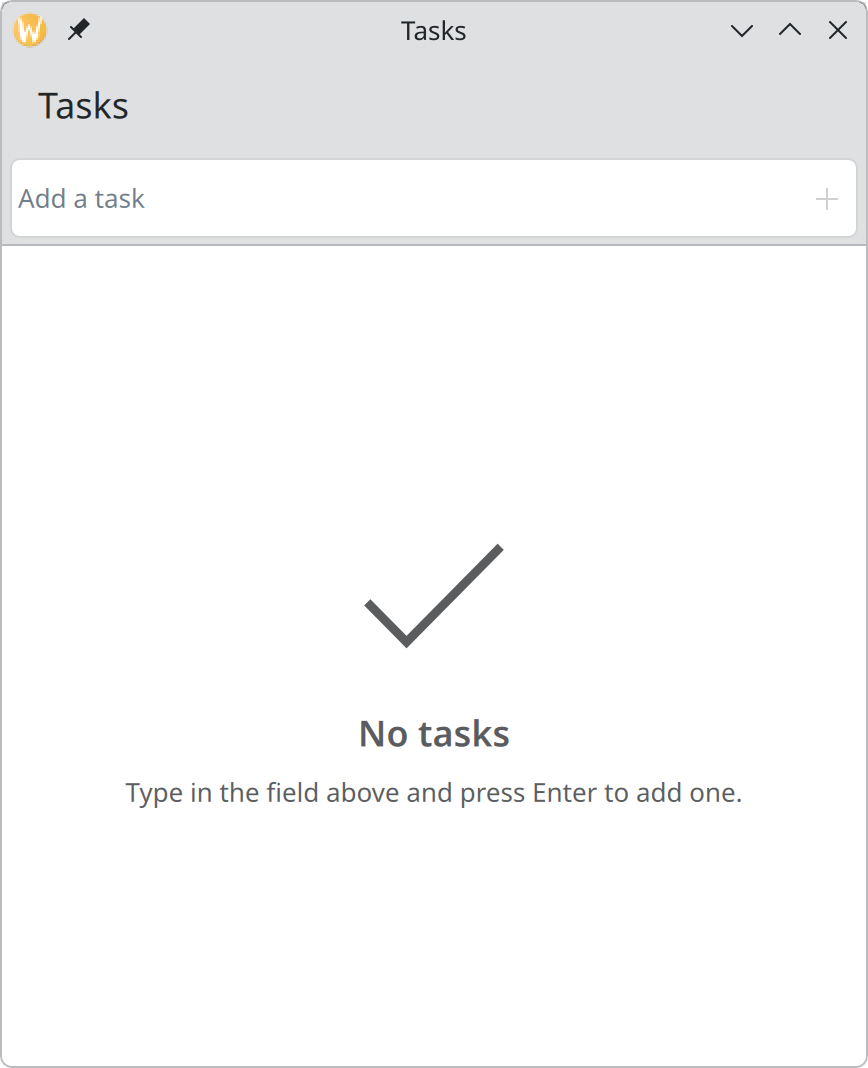
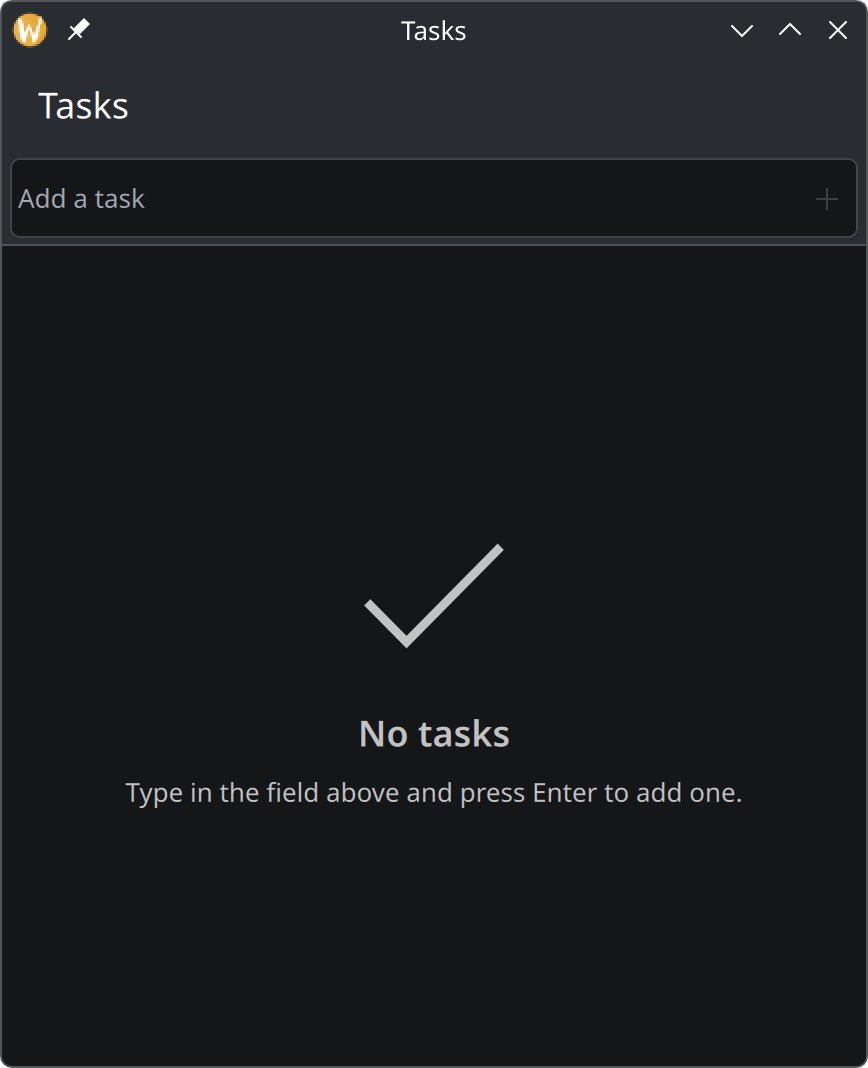
Delete every task in the app as it is now and you are left with a blank white area. Someone opening the app for the first time would see exactly that, and have to guess what to do.
The placeholder
Give the list view an id and put a placeholder message inside it:
ListView {
    id: tasksView
    model: tasksModel
    currentIndex: -1

    Kirigami.PlaceholderMessage {
        anchors.centerIn: parent
        width: parent.width - Kirigami.Units.gridUnit * 4
        visible: tasksView.count === 0

        icon.name: "checkmark"
        text: "No tasks"
        explanation: "Type in the field above and press Enter to add one."
    }

    delegate: QQC2.ItemDelegate {
        // … unchanged …
    }
}
The message sits in the middle of the list and is visible only while the list has no rows. Its width is limited so that the explanation wraps instead of touching the edges. See Placeholder messages.
Counting what is left
Show the complete main.qml for this step
import QtQuick
import QtQuick.Controls as QQC2
import QtQuick.Layouts
import org.kde.kirigami as Kirigami

Kirigami.ApplicationWindow {
    id: root

    title: "Tasks"
    width: Kirigami.Units.gridUnit * 24
    height: Kirigami.Units.gridUnit * 28

    ListModel {
        id: tasksModel

        ListElement { title: "Water the plants"; done: true }
        ListElement { title: "Reply to Konqi"; done: false }
        ListElement { title: "Book train tickets"; done: false }
    }

    // How many tasks are still open. Recounted whenever the list changes.
    property int remaining: 0

    function recount(): void {
        let open = 0
        for (let i = 0; i < tasksModel.count; i++) {
            if (!tasksModel.get(i).done) {
                open++
            }
        }
        remaining = open
    }

    Connections {
        target: tasksModel
        function onCountChanged() { root.recount() }
        function onDataChanged() { root.recount() }
    }

    Component.onCompleted: recount()

    function addTask(title: string): void {
        const trimmed = title.trim()
        if (trimmed.length > 0) {
            tasksModel.append({ title: trimmed, done: false })
        }
    }

    function deleteTask(row: int): void {
        // Keep a copy so the deletion can be undone.
        const task = { title: tasksModel.get(row).title, done: tasksModel.get(row).done }
        tasksModel.remove(row)
        showPassiveNotification("“" + task.title + "” deleted", "long", "Undo",
            () => tasksModel.insert(row, task))
    }

    pageStack.initialPage: Kirigami.ScrollablePage {
        title: "Tasks"

        header: QQC2.ToolBar {
            contentItem: Kirigami.ActionTextField {
                id: newTaskField

                placeholderText: "Add a task"
                onAccepted: {
                    root.addTask(text)
                    clear()
                }

                rightActions: Kirigami.Action {
                    text: "Add Task"
                    icon.name: "list-add"
                    enabled: newTaskField.text.trim().length > 0
                    onTriggered: newTaskField.accepted()
                }
            }
        }

        footer: QQC2.ToolBar {
            visible: tasksModel.count > 0

            contentItem: QQC2.Label {
                leftPadding: Kirigami.Units.largeSpacing
                text: root.remaining === 1 ? "1 task left" : root.remaining + " tasks left"
            }
        }

        ListView {
            id: tasksView
            model: tasksModel
            // Rows are ticked, not selected, so none is marked as current.
            currentIndex: -1

            Kirigami.PlaceholderMessage {
                anchors.centerIn: parent
                width: parent.width - Kirigami.Units.gridUnit * 4
                visible: tasksView.count === 0

                icon.name: "checkmark"
                text: "No tasks"
                explanation: "Type in the field above and press Enter to add one."
            }

            delegate: QQC2.ItemDelegate {
                id: row

                required property string title
                required property bool done
                required property int index

                width: ListView.view.width

                // Clicking anywhere on the row ticks or unticks the task.
                onClicked: tasksModel.setProperty(index, "done", !done)

                contentItem: RowLayout {
                    spacing: Kirigami.Units.smallSpacing

                    QQC2.CheckBox {
                        checked: row.done
                        onToggled: tasksModel.setProperty(row.index, "done", checked)
                    }

                    QQC2.Label {
                        Layout.fillWidth: true
                        text: row.title
                        elide: Text.ElideRight

                        // Finished tasks step back: struck through and faded.
                        font.strikeout: row.done
                        opacity: row.done ? 0.6 : 1
                    }

                    QQC2.ToolButton {
                        text: "Delete"
                        icon.name: "edit-delete"
                        display: QQC2.AbstractButton.IconOnly
                        onClicked: root.deleteTask(row.index)

                        QQC2.ToolTip.text: text
                        QQC2.ToolTip.visible: hovered
                        QQC2.ToolTip.delay: Kirigami.Units.toolTipDelay
                    }
                }
            }
        }
    }
}
The window needs to know how many tasks are not done. Add a property for the number, a function that works it out, and something that calls the function at the right moments:
property int remaining: 0

function recount(): void {
    let open = 0
    for (let i = 0; i < tasksModel.count; i++) {
        if (!tasksModel.get(i).done) {
            open++
        }
    }
    remaining = open
}

Connections {
    target: tasksModel
    function onCountChanged() { root.recount() }
    function onDataChanged() { root.recount() }
}

Component.onCompleted: recount()
property int remainingis a value that other parts of the file can use. Whenever it changes, everything that uses it updates.Connectionslistens to the model.onCountChangedfires when a task is added or removed,onDataChangedwhen one is ticked or unticked. Either way we count again.Component.onCompletedruns once at start, for the first count.
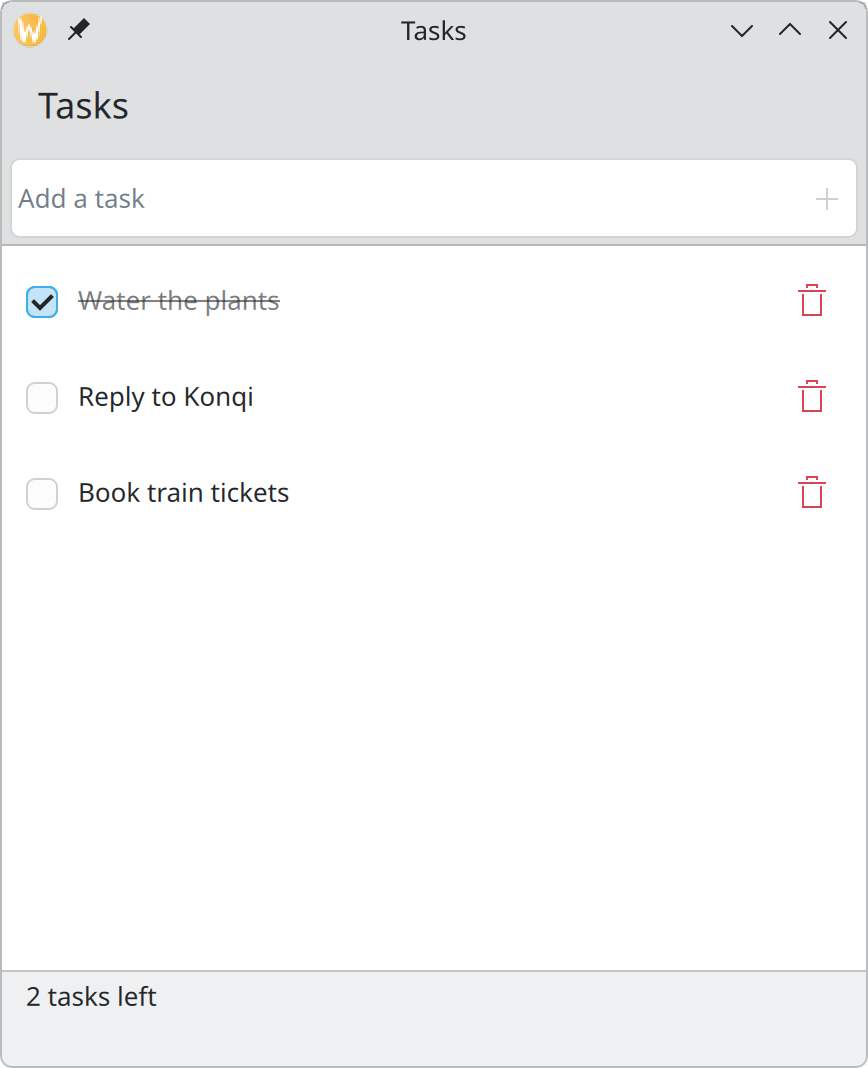
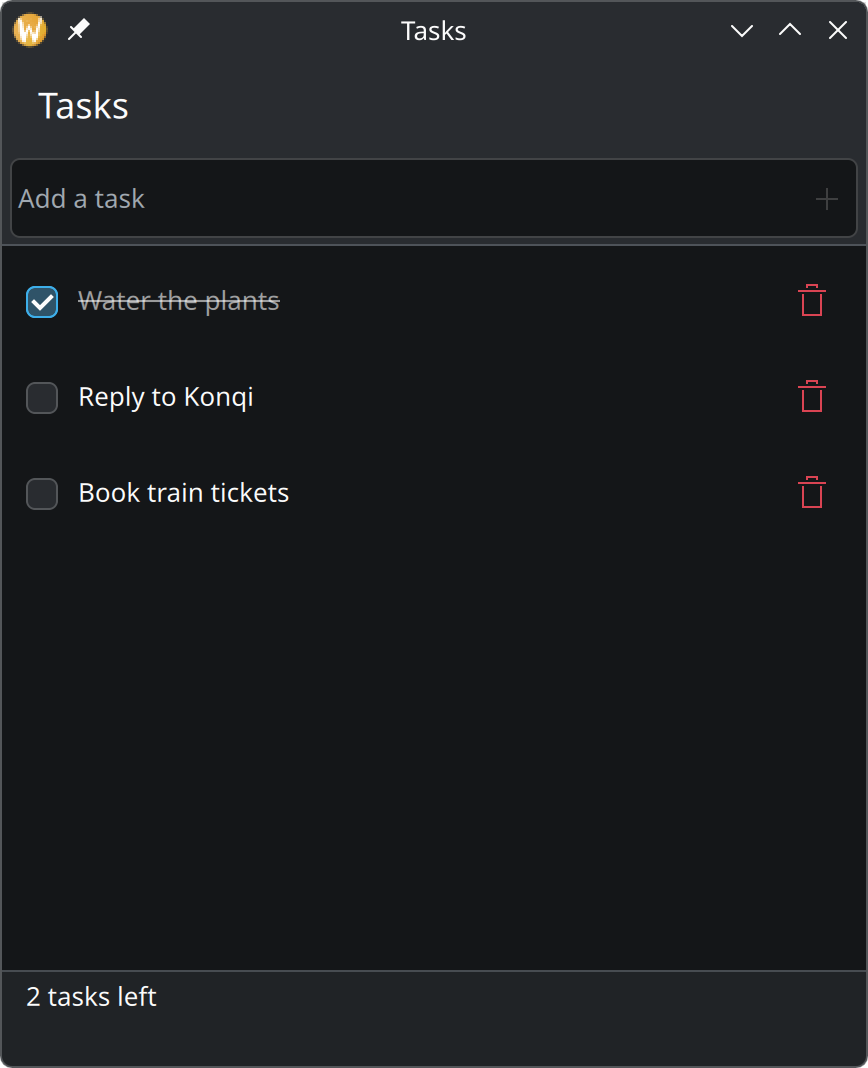
Then show the number in a footer on the page, next to the header:
footer: QQC2.ToolBar {
    visible: tasksModel.count > 0

    contentItem: QQC2.Label {
        leftPadding: Kirigami.Units.largeSpacing
        text: root.remaining === 1 ? "1 task left" : root.remaining + " tasks left"
    }
}
Like the header, the footer stays put while the list scrolls. It hides when there are no tasks at all, since “0 tasks left” under “No tasks” would say the same thing twice.
Try it
Tick and untick tasks and watch the number. Delete everything to see the placeholder, then add a task.